 FeQSoft
Not another app. A system of assistants built around your business.
We design tailored systems of AI agents and assistants around a company's actual processes, documents, authorised data and executive decision-making rules. The aim is not to remove human responsibility. It is to process information faster, reduce routine work and prepare better-informed decisions.
The question is not what AI can do. It is what the organisation can absorb.
Today, many companies are told that AI can do anything. The technology is capable of a great deal. But successful adoption is not just a technology question: it depends on what the leader needs, what the business needs and what day-to-day operations can absorb.
We assess three things before introducing anything:
- What the leader genuinely wants to keep under their control, and which decisions they will not delegate.
- What the company must retain: accountability, permissions and traceability.
- How much change can fit into daily work without a loss of quality.
If these are ignored, the result can do more harm than good: a system may work technically, but no one uses it.
Our advantage is not simply knowing the tools. Since 2003, we have seen how people take on change.
- Types of assistants
- How we introduce them
- Data and permissions
- Practical examples
- Who it suits — and who it does not
- Terms explained
- Data flow, example and boundaries
AI prepares a verifiable decision brief, but does not decide for the leader.
- Business goal and decision boundariesFirst we define what needs deciding and within which limits.
- Authorised company knowledge and dataOnly designated sources and access rights are brought into the task.
- AI processing tailored to the taskOrganising, comparing and analysing for the specific question.
- Verifiable decision briefAlternatives, sources and risks are clearly distinguished.
- The decision remains in human handsThe leader chooses and approves the next step.
- Approved execution and measurementOnly the approved step begins; what we learn refines the goals, rules and review points for the next round.
AI is a new tool. Our systems thinking is not. Our work did not begin with the AI boom: since 2003 we have built working IT, marketing and business systems.
AI-supported business operations
Tailored AI agents and assistants that fit the company's own processes, documents, data and approval rules. We do not produce a generic “AI demo”; we design a usable, permission-based solution that remains under human control.

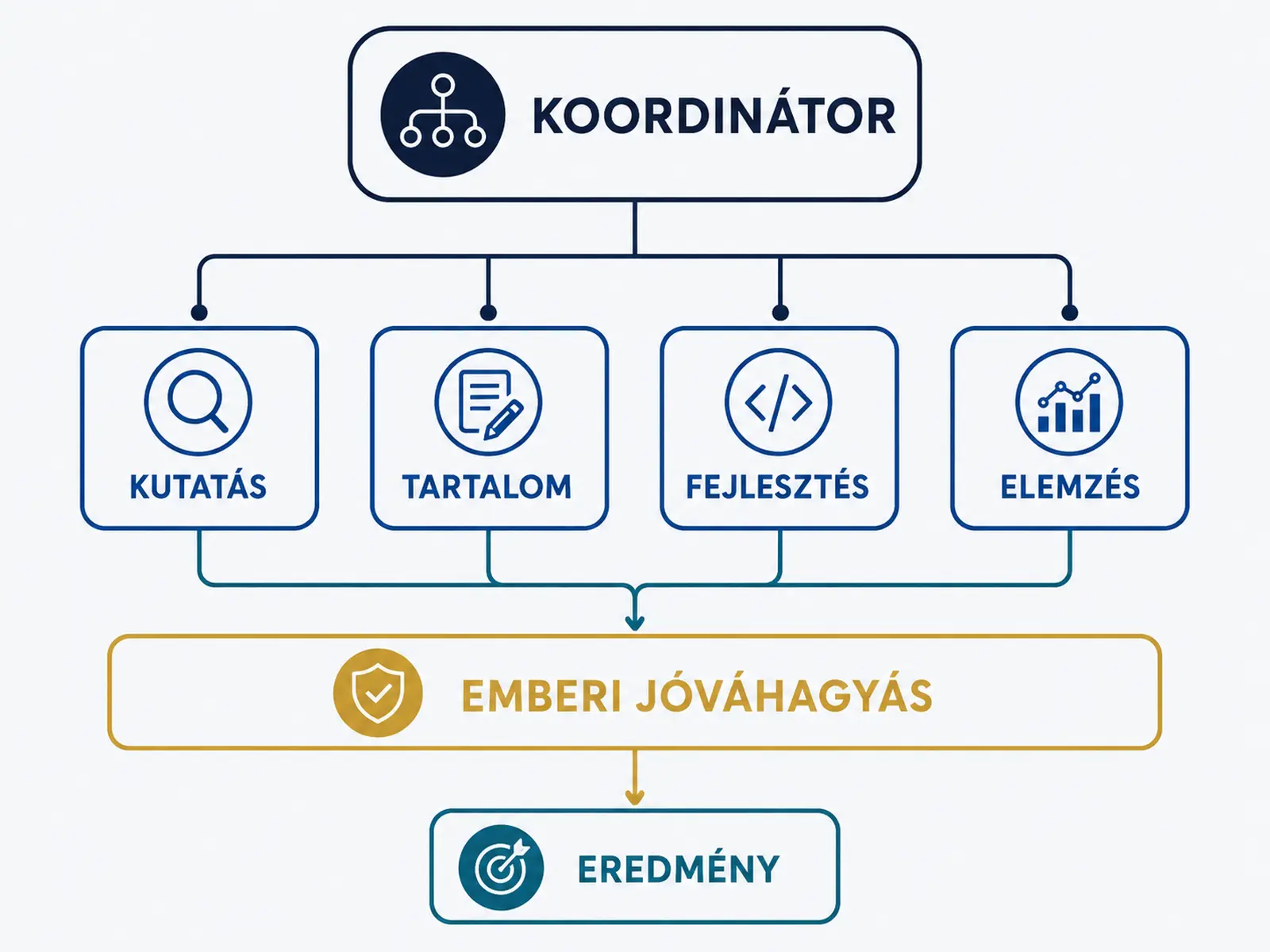

Tailored AI-agent system
We split the work between specialised assistants that cooperate: research, invoice reconciliation, document processing, reporting and summarisation. We design the workflow, responsibility boundaries, access rights, approval points and logging.
Let's design it →
Email and inbox assistant
With authorised access to a Gmail/Workspace account, messages can be organised by topic, urgency and action; the assistant can prepare daily or weekly summaries and draft replies. External messages are sent only according to agreed rules and human approval.
We do not ask for your password; access is official, limited and revocable.
A clearer inbox →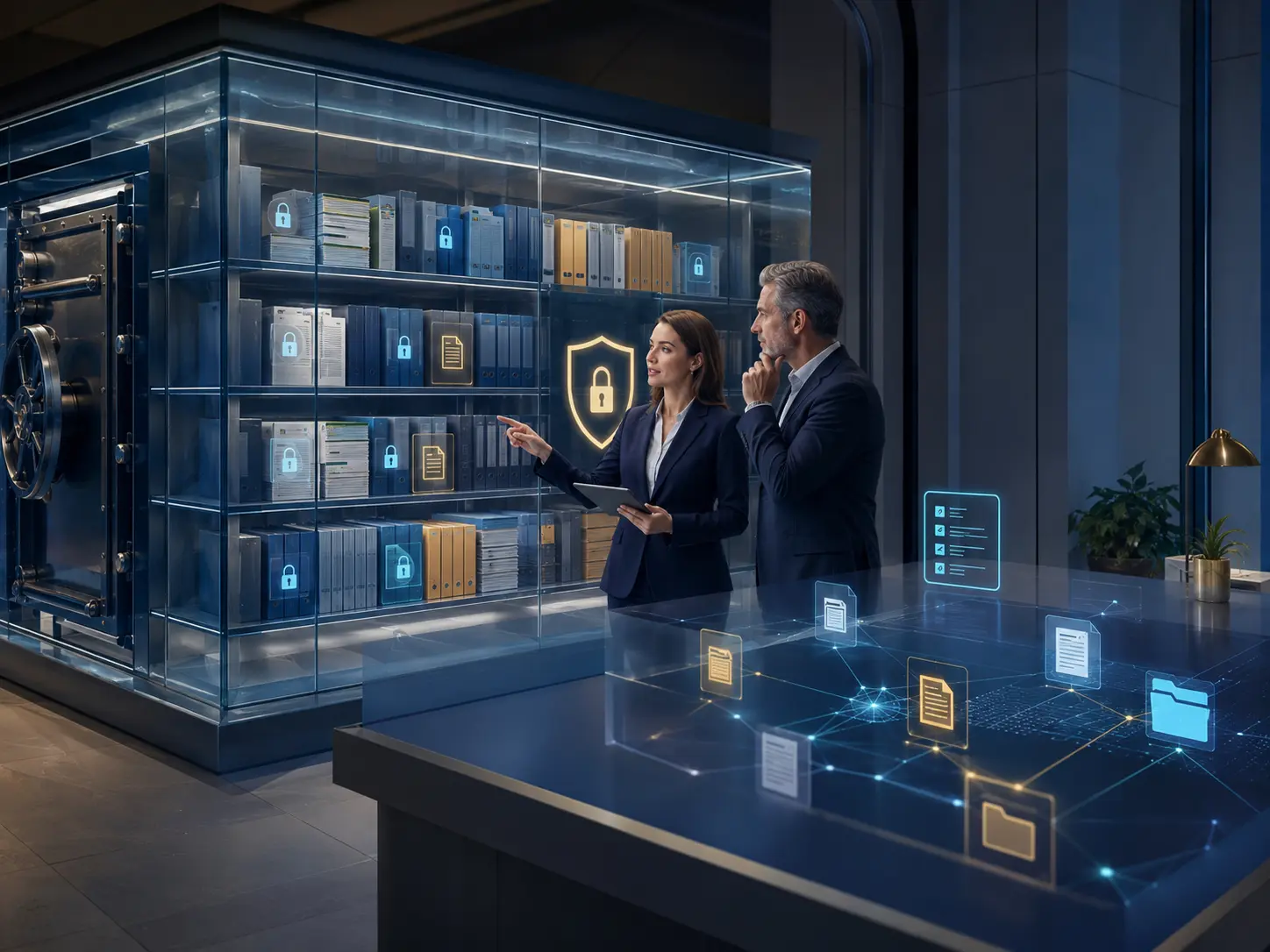
Security-conscious Drive knowledge assistant
Company knowledge from selected folders in your own Drive becomes searchable. The assistant can summarise, compare, find discrepancies and answer with references to sources. It accesses only authorised content.
Your data can remain in your own storage; we document the access model in advance.
Company knowledge →
Revenue and business-data analysis assistant
It compares invoicing, online-store, sales, cost and stock data to identify discrepancies, trends, margin and stock risks, and to prepare a unified executive summary.
This prepares decisions; it is not accounting, tax or legal advice. Source data must be checked.
What do the numbers tell us? →
AI-supported process and executive assistant
Meeting preparation, status summaries, decision memos, task lists and reports. It remains clear where an executive decision, approval or safety stop is required.
Automation is not unchecked autonomy: the gates reflect the risk.
Find the biggest time drain →AI assistants are coordinated by one workflow manager: a research and document-processing assistant, an email assistant, a Drive knowledge assistant, a revenue and data analyst, and a process and executive assistant. Each works from the company's own authorised data sources; the output goes through executive approval.
- Workflow managerTask allocation, permissions, approval points and logging.
- Five assistants below itResearch and document processing · email and inbox assistant · Drive knowledge assistant · revenue and data analyst · process and executive assistant.
- The company's own authorised data sourcesDesignated Drive folder · company email account · invoicing · online store · stock.
- Executive approvalThe decision remains in human hands; an outbound action starts only here.
How we introduce it — four steps with measurable checkpoints
We do not simply “introduce AI”. We choose a real, recurring process and use it to show what the solution delivers. If it delivers no benefit, we say so.
Assessment
We examine where the most time is lost: where data is created, what someone reviews manually, and where the process stops. This does not require access to your data.
Outcome: a process map and two or three suggested starting points.
Pilot on one process
We test one process against success criteria agreed in advance. Access is narrow and revocable, and you check the output before anything goes further.
Outcome: a working solution for one process, with measured results.
Roll-out
We put what has worked into live use: permissions, approval points, logging, documentation and training. We also specify what the system must not do without human approval.
Outcome: documented operations and a trained team.
Measure again
We look at what it achieved: time released, errors reduced and what remains difficult. This informs the next round — or the decision that this is enough for now.
Outcome: a decision on whether to continue, supported by data.
Where will our data remain, and who can see it?
How we handle data
- We do not ask for passwords. Access is granted through official, individually assigned and revocable permissions.
- Only designated content. A specified Drive folder or mailbox, not the whole system.
- Data can remain in your own storage. We document the access model in writing before work begins.
- Logging. It must be possible to establish what happened, when and under which permissions.
What we do not do
- Nothing is sent out on its own. An external email, offer or post goes out only with human approval.
- We do not train third-party systems on your data. We identify in advance any systems we use for the work.
- We do not provide accounting, tax or legal opinions. We prepare decisions; we do not replace the relevant professional.
- We do not promise figures in advance. We measure the benefit after the pilot.
Frequently asked questions about AI
Will we have to replace any of our current systems?
Usually not. With authorised access, assistants connect to existing tools such as email, storage, invoicing and the online store. If replacing something would make sense, we say so in advance and treat it as a separate decision.
How long before we see anything useful?
After the assessment, we start with one process and success criteria agreed in advance. The point of the pilot is to find out within a reasonably short period whether continuing makes sense. We can discuss a specific timescale once we understand the process; we do not want to guess.
What happens if AI makes a mistake?
That is why we use approval points and logging. Higher-risk actions — an outbound email, financial transaction or publication — require human approval. For other actions, the log makes it possible to trace what happened and why. The decision remains in human hands.
Could we lose sight of how our own business works?
The aim is the opposite. Assistants make visible what has until now been held in people's heads and inboxes: what awaits a decision, what is stuck and what the figures show. We explicitly design the executive decision points.
Four practical situations
These are four situations we encounter in many businesses. Each follows the same pattern: what happens today, what an assistant can take on, and what remains a human decision.
Incoming invoices and orders
Today: Invoices arrive through several channels. Someone checks them manually, matches them to orders and enters them in a register. Anything that differs waits until someone has time to look at it.
With the assistant: It reads the line items, compares them with the order and earlier prices, and lists only the few with discrepancies.
Human decision remains: Reviewing discrepancies and approving every payment.
Requests for quotes and enquiries
Today: Genuine enquiries, mailing-list messages and routine questions are mixed in the inbox. How quickly someone replies often depends on who has time first.
With the assistant: It sorts messages by topic and urgency, and prepares draft replies to recurring questions from the company's own previous emails and documents.
Human decision remains: Every outbound email still requires approval.
A monthly executive overview from several sources
Today: The numbers sit in separate systems — invoicing, online store, stock and costs. Bringing them together takes days, and by the time the overview is ready it is already old.
With the assistant: A coherent summary is prepared from the same data: what changed, where the figures differ from the previous period and what needs attention.
Human decision remains: Deciding what to do with the information, and checking the source data.
Knowledge accumulated within the company
Today: The answer exists somewhere — perhaps in an old quotation, contract or email. Someone who knows where to look can find it; others have to ask again.
With the assistant: It searches designated folders, gives an answer linked to its source and highlights when two documents disagree.
Human decision remains: Resolving contradictions and deciding which version is current.
Who it suits — and who it does not
It is worth considering when:
- At least one recurring process takes many hours each month.
- The data exists in some form, even if disorganised or spread across systems.
- Someone in the company can decide disputed cases. That cannot be delegated to a machine.
- The aim is to make decisions faster, not to replace staff.
Frankly, we would not recommend it when:
- The process runs only a few times a month; introducing an AI system could cost more than it saves.
- The process itself is disorganised. Put it in order first, then consider automation.
- The aim is to avoid making decisions. Accountability cannot be automated away.
- An off-the-shelf tool already solves the problem. In that case, we say which tool is worth considering.
What do these terms mean? (agent, pilot, approval point)
| Term | Explanation |
|---|---|
| Assistant | A helper configured for a narrow task: sorting emails, processing documents or writing summaries. |
| Agent system | Several assistants coordinated through a shared workflow with clear responsibility boundaries. |
| Permission-based access | The system sees only what it has been authorised to see, and access can be revoked at any time. |
| Approval point | A step where a person must agree before anything continues or is sent out. |
| Logging | A trace of what happened, when and under which permissions, making operations auditable. |
| Pilot | A test on one process against success criteria agreed in advance; it shows whether continuing makes sense. |
The simplest start: one process.
You do not need to decide the full scale in advance. Let us choose one recurring process, examine together how much time it takes today, and agree what success would look like. If the numbers do not add up, we will say so — that is a useful answer too.
Let's discuss one specific processFour questions worth reviewing before you begin
These details determine whether an AI solution will be useful or merely impressive. Open whichever topic matters to you.
1. The data flow on one screen — what comes in, where it is processed and what goes out
Input: Data from a designated Drive folder, company email account, invoicing system or online store — only from the scope authorised in advance.
Processing: The assistant reads, organises, compares and summarises. Processing is logged so it is possible to see what happened and when.
Human approval: Before an outbound email, financial action, publication or permission change, the process stops and waits for a person.
Output: A summary, recommendation, organised list or draft reply, with source references so it can be checked.
The key is the third box: the path does not simply end with an output; it reaches a decision point.
2. A real process from start to finish — an example
| Step | What happens |
|---|---|
| Today | Each month, someone manually compares dozens of incoming invoices with orders and sets aside those they cannot resolve. |
| With the assistant | It reads line items, compares them with the order and earlier prices, and lists only those with discrepancies. |
| Human decision point | Reviewing discrepancies and approving every payment remain with a person. |
| Measurable outcome | Time spent reviewing and the number of set-aside items. We measure these before the pilot to establish a baseline. |
We deliberately do not quote a percentage saving here. We measure it in the individual business, before and after. Promising a figure beforehand would be marketing, not measurement.
3. Where is the boundary — what is included and what is not?
| Category | Meaning |
|---|---|
| Included | Connecting to existing tools — email, storage, invoicing and online store — with authorised access; designing the process, defining approval points, training and documenting the system. |
| Requires a separate system | Data is not currently produced digitally anywhere, or connections between systems are missing. The data source must then be put in order first. We name this separately rather than quietly folding it into the work. |
| Not included | Accounting, tax or legal opinions; dealings with authorities; guaranteed business results; or any action that would have to go out without human approval. |
4. Minimum security standards — we do not go below these
- Permissions: Individually assigned, limited to what the task requires. We do not ask for full administrator rights or passwords.
- Logging: It must be possible to trace what happened, when and with which permissions. Live operation does not begin without logging.
- Revocability: Access can be revoked at any time by the company, without bringing its operations to a halt.
- Credentials: You manage access credentials in your own system. We ask for official, revocable access, not for your password to be handed over.
No system can promise absolute security. These measures reduce the chance that a fault causes serious harm.
However small the task, we approach it with a view of the whole business. We have most of the relevant expertise in-house, so even a limited piece of work is designed with an understanding of the business structure behind it. If a request would benefit from a change, we say so before the work is completed.
Questions we are often asked
We have never used AI before. Can you still help us?
Yes. We start wherever you are. You need no prior knowledge for the assessment, and the first step is always a narrow, revocable test on a single process.
We use ChatGPT, but need more in our company processes. What is the next step?
Choose a real, recurring process and run a pilot against agreed success criteria. If you would rather build the capability in-house, our training can prepare your team for that too.